
How We Cut Oracle Licensing on EC2 by 56% Without Touching a Single Database
A story about EC2 Dedicated Hosts, bin packing, and the art of working within constraints

The Brief
A customer came to us with a simple ask:
Compress our footprint. Cut the license bill. Don’t break anything. We need the initial target design in three days.
They run Oracle databases on about 400 EC2 instances spread across 5 regions (US, EU, and Asia). Most are running on Dedicated Hosts to keep Oracle licensing costs in check — but the deployment had grown organically over the years, and it showed. Instance families were all over the map. Some hosts were half-empty, while others were tightly packed. Licensing costs had quietly ballooned.
Constraints are the fun part
Constraints force creative thinking. And this one had constraints in spades:
No database consolidation. Every EC2 instance keeps hosting exactly what it hosts today. No merging workloads.
No aggressive rightsizing. They’d tried that with another partner. It ended with performance issues and had to be rolled back. This time, we sized to Peak + 10% headroom — and if an instance was already running within 10% of its peak, we left it alone.
No version changes. We couldn’t touch the database version, patch level, or OS. Some of these were running Oracle 11.2.0.3, a few were still on 10.2, sitting on RHEL 5. Yes, RHEL 5 — which meant we needed instance families old enough to support it (hello, r4, my old friend, I've come to talk with you again...).
Zero application impact. No changing regions, hostnames, or IP addresses. The applications shouldn’t notice anything other than a scheduled restart.
A very tight timeline. After getting all the data/outputs, we had three days to provide an initial estimate. Two weeks for the detailed output. No pressure.
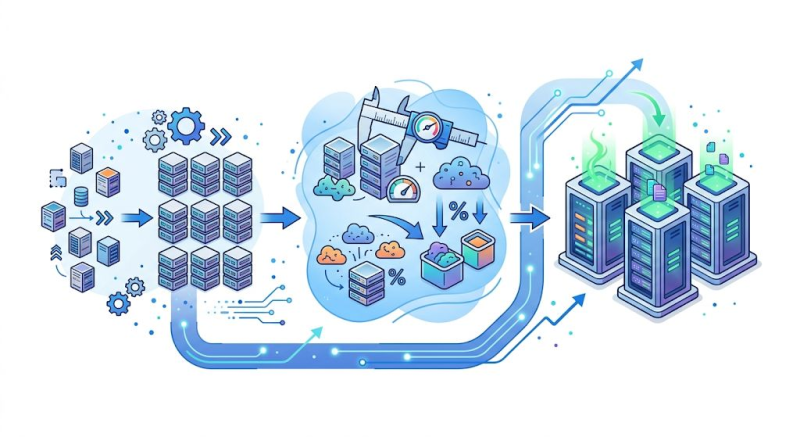
The Approach: Standardize, Rightsize, Pack
When I looked at the current state, one number jumped out at me: the customer was running Oracle databases across 14 different instance families — t3, c5, m5, m6a, m6i, m6in, r4, r5, r5a, r5b, r6i, r6in, r7i, and x2iezn. That’s not a deployment; that’s a museum collection.
Step 1: Standardize by OS version
The OS version dictated which instance families we could use, so I used that as the organizing principle:
RHEL 5 → r4 instances (RHEL 5 cannot handle Nitro properly)
RHEL 6 → r5 instances (Skylake or Cascade Lake, but RHEL6 has the proper drivers)
RHEL 7 → r5 (Skylake/Cascade Lake) or x2iezn (Cascade Lake)
RHEL 8 → r7i or x2iedn
If an instance was already running on a family that didn’t match these rules but was working fine, we left it alone. No fixing what isn’t broken.
Step 2: Rightsize (carefully)
Using RapidDiscovery data and CloudWatch metrics provided by the customer, I rightsized each instance within its assigned family. The vast majority were memory-bound, not CPU-bound — which is why the exotic T, C, and M families could all be collapsed into the R and X2i families without sacrificing performance.
And here’s a nice side effect: by moving to the newest generation allowed by each RHEL version, we got better performance per licensed CPU core. Standardizing wasn’t just tidier — it was actually more efficient.
One more thing I want to mention: remember, we have 3 days for the initial estimate and 400+ EC2 instances across 5 regions? The only way to meet such a requirement is by using automation like Cintra's Remapped.
Step 3: Pack into Dedicated Hosts
With every instance now assigned a target shape, it was time to figure out how to pack them onto as few Dedicated Hosts as possible. I grouped instances by region and instance family, then applied the FFD (First Fit Decreasing) bin packing algorithm to assign them to hosts.
Is FFD the theoretically optimal algorithm? No. But it gives very good results, it’s fast, and it’s easy to implement and explain to customers. In practice, that matters more than shaving off one extra host.
One important detail: if a given instance type in a given region didn’t have enough instances to fill at least 75% of a Dedicated Host, I left them as Shared EC2. No point paying for a host you can’t fill.
And a useful AWS feature worth mentioning: you can purchase a Dedicated Host and use AWS RAM (Resource Access Manager) to share it across accounts and environments within the same Availability Zone. This made the grouping and consolidation much more flexible.
The Results
Here's what 'don't change anything' actually resulted in:
Metric | Before | After |
Dedicated Hosts | 38 | 18 |
Shared EC2 Instances | 81 | 63 |
Licensed Cores (DH) | 888 | 442 |
Licensed vCPU (Shared) | 384 | 114 |
License Savings | 56% | |
EC2 Cost Reduction (ARR) | 28% |
Let me say that again: 56% license savings — despite not consolidating a single database, not changing any version, and not rightsizing aggressively. Plus a 28% reduction in EC2 instance costs – as a side effect.
But Wait - There’s More: Licensable Options
Cutting the base Database Enterprise Edition license was just the first act. The second act was about Oracle’s licensable options — Partitioning, Advanced Compression (ACO), Active Data Guard (ADG), Diagnostics Pack, Tuning Pack. Here’s the thing: if even one instance on a Dedicated Host uses a specific option, you need to license that option for the entire host.
So the strategy was:
Reshuffle. Move option-bearing instances onto the fewest possible hosts, leaving the remaining hosts option-free.
Evaluate outliers. For expensive options like ADG or ACO ($11,500/license) carried by just one or two small instances on a host, consider moving those instances off the Dedicated Host into the shared pool.
Prioritize by cost. Attack the most expensive options first ($11,500 for ACO, Partitioning, ADG) before the cheaper ones ($7,500 for Diagnostics, $5,000 for Tuning).
Options licensing result: from $15M down to $8.5M (list price). Individual options exposure reduced between 49% (Tuning Pack) and 62% (ADG, ACO)
And remember — this was on top of the already-optimized core count. We’d already cut the footprint in half before even looking at options.
What’s Next
The model is built, the numbers are validated, and now we’re collaborating closely with the customer on implementation. Some licensed options may be discarded entirely. Some servers may be retired or combined. The implementation is already starting.
There are always real-world constraints that don’t fit neatly into a spreadsheet. But even if we land at 40–45% savings on what started as an eight-digit licensing bill — that’s still a result worth sharing.
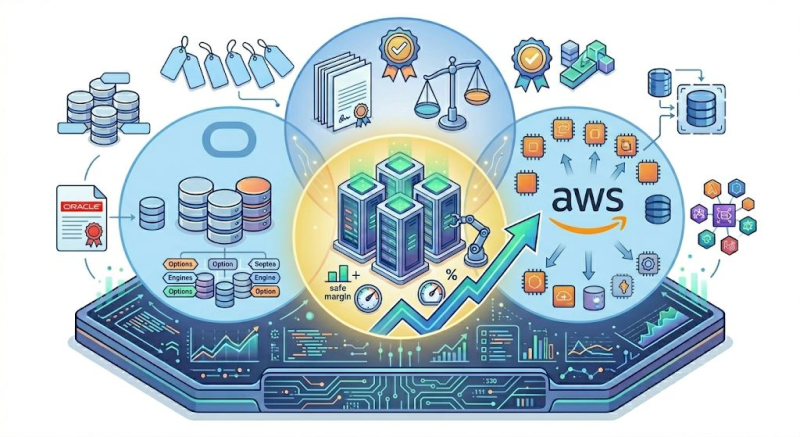
Behind the Numbers
This project reminded me why I love this kind of work. It’s not glamorous — it’s Oracle licenses and old EC2 instances. But there’s a genuine puzzle-solving joy in taking an organically grown deployment and finding the structure hidden inside it.
There was no silver bullet here.
Seeing the whole picture
Part of why the deployment looked the way it did is that every department had been provisioning hosts independently — making locally reasonable decisions that added up to a globally fragmented estate. You can't standardize what you can't see across regions, accounts, and teams. The first move on any project like this is pulling the whole estate into one view.
Good data
None of the optimization we did — the rightsizing, the bin packing, the options reshuffling — would have been possible without a comprehensive, workload-aware view of the entire estate: utilization patterns, configuration details, option-level licensing dependencies. With 400+ EC2 instances across 5 regions, you can't do this manually, and you can't afford to get it wrong. This is exactly what Cintra's Remapped RapidDiscovery is built for — scanning estates of any size quickly and producing a detailed, accurate dataset that enables precise, low-risk decisions.
The right pair of experts
Oracle licensing, AWS Dedicated Hosts, RAM sharing, instance family compatibility, RHEL version constraints — these are separate domains, and the savings live in the intersections between them.
On a project like this, I work paired with a licensing expert who knows Oracle's rules inside and out, while I handle the AWS architecture and technical sizing. But "AWS architect" undersells what the second half of that pair actually needs to be. Good AWS architects are easier to find. Good AWS architects who genuinely understand how Oracle works — how it behaves under load, why a particular wait event matters, what a DBA is really worried about at 3 a.m. — are few and far between. I've spent 27 years on the Oracle side, including more on-call hours chasing edge cases in high-availability architectures than I care to count, and that background is what lets me have a credible conversation with the customer's DBAs instead of talking past them.
That's the gap I see most often with large enterprise customers: they're tired of enthusiastic cloud architects who don't understand the Oracle angle. The pairing that works — deep Oracle and Cloud technical knowledge alongside deep Oracle licensing knowledge — is what lets us move quickly and confidently across both worlds.
It's also something that's hard to find. There aren't many companies with genuine Oracle licensing expertise, and fewer still that combine it with hands-on Oracle and cloud architecture. At Cintra, this is how we work — and it's how we've worked since before the cloud was born. Since the dot-com era, Cintra has been established as one of the premier Oracle shops. Different experts teaming up, project after project, each engagement drawing on the right combination of skills.
If you’re managing Oracle on AWS and your Dedicated Host deployment has grown “organically” (we’ve all been there), it might be worth taking a fresh look at how your instances are shaped and packed. The savings might be hiding in plain sight. Don’t hesitate to reach out to Cintra — we genuinely enjoy this kind of work, and our customers tend to enjoy the results.